 AFM Studio
Git Rebase Simulator
 Git Rebase Simulator
A safe sandbox for practising rebase, hard reset and force-push, where commit ids change as in Git
- Git commands you can practise safely
- 17
- scenarios checked against real Git
- 9
- shareable scenarios from everyday Git trouble
- 6
On this page
The problem
Rebase is the Git command developers fear most, and the fear is earned. It is usually explained as "moving commits onto a new base". It doesn't move anything. It writes new commits with new ids and leaves the originals in the repository, with nothing pointing at them. Almost every "I lost my work" panic, and its cure, the reflog, comes from that one misunderstanding.
Good visual tools exist, and Learn Git Branching is the best known. I link to it from the site. But the tools I looked at share three gaps. They use fake ids like C1 and C2, so a rebased commit still looks like the same commit. They hide commits that were left behind, so nobody learns how to recover them. And they have no file content, so there are no conflicts, which is exactly where rebase hurts. The simulator is for developers who use Git daily but don't trust rebase, and for people who teach it.
What I built
The simulator works the way Git stores data
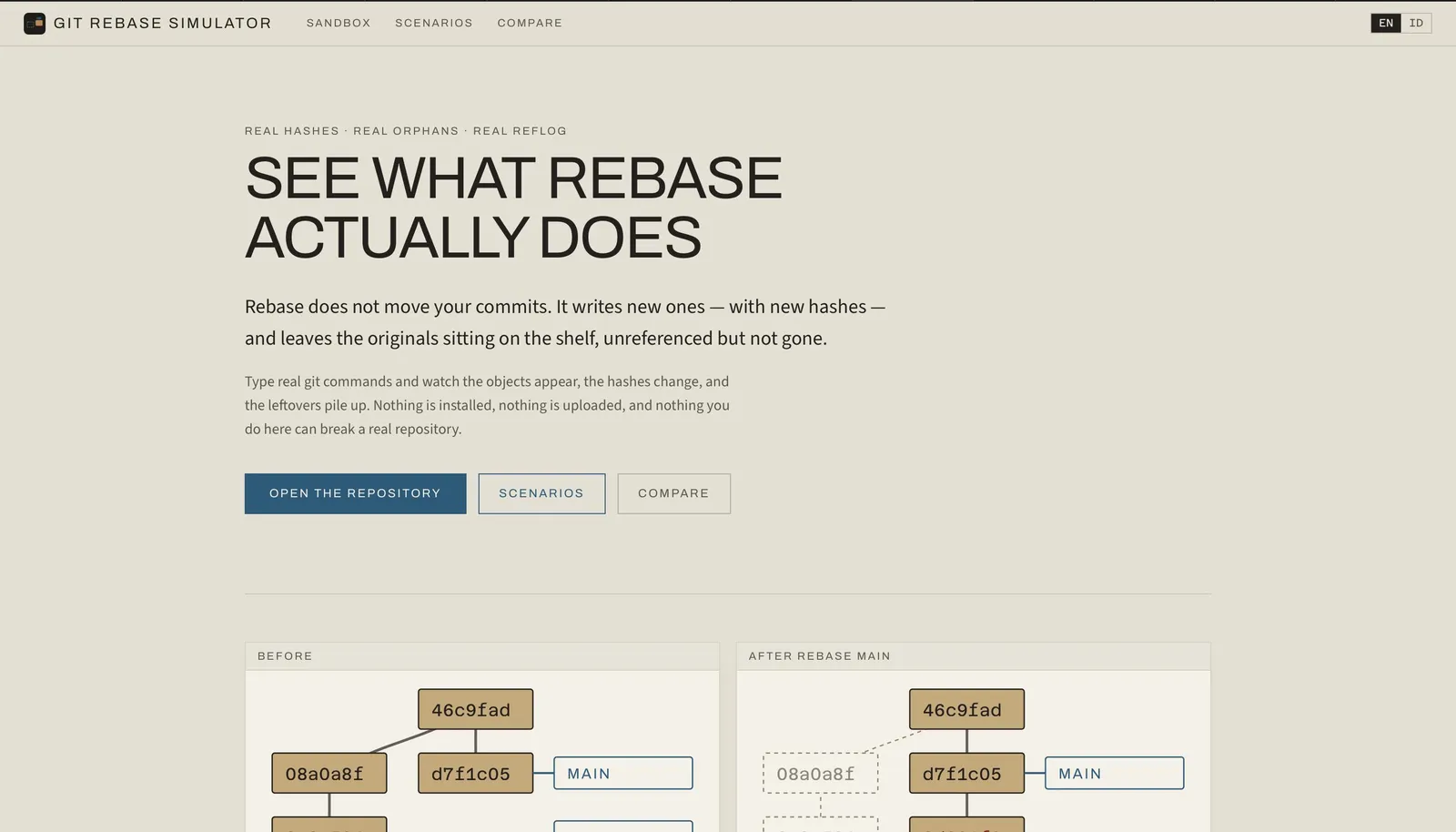
I implemented Git's own storage model and let the drawing read from it. Every commit id is calculated from the commit's content, including its parent. So when a rebase gives a commit a new parent, its id changes on screen by itself. Commits are only ever added, never edited or deleted, unless you run cleanup. After every command in every test, a check confirms that nothing that existed before has changed or gone.
Left-behind commits stay on the board
After a rebase or a hard reset, the old commits stay visible, greyed out and with no branch pointing at them. A reflog panel lists every time a branch or HEAD moved, and what moved it. One click creates a branch at a lost commit, which is the same fix you would use in real Git.
Real files make real conflicts
Each commit carries actual file content. When a rebase can't apply cleanly, you get a three-way conflict with Git's own markers, and you continue, skip or abort as in Git. A comparison view runs merge and rebase from the same start, side by side. The histories look different, but the final files are identical, and a test checks that.
I checked it against real Git
A teaching tool that is plausibly wrong would train people to misunderstand rebase with confidence. So I wrote a script that runs the real Git program through nine scenarios, two against a bare repository acting as a remote, and records the results. The tests compare the shape of the history: parents, branch positions and which objects are new. They don't compare commit ids, because real Git mixes in the time and author. The site says so.
Unsupported commands say so by name
The simulator refuses pull on purpose, because pull hides the half of its job that rewrites history. Its error message tells you to use fetch followed by merge or rebase. A few advanced options are refused the same way. A confident wrong answer is the worst thing a teaching tool can give.
Result
The Git Rebase Simulator is live and open source under the MIT licence, in English and Indonesian, and works offline after the first load. It supports 17 Git commands, including interactive rebase and a simulated remote for push, fetch and force-push. Six ready-made scenarios, such as an accidental hard reset or a dangerous force-push, can be shared by link. I built it in about five hours on 5 August 2026, from a written spec.
Under the hoodTechnical detail for engineers
- The engine is pure:
(state, command) → { state, events }, with no React, DOM,DateorMath.random. Timestamps come from a virtual clock in state. - The object store is append-only;
gcis the only deletion. The invariant runs after every command in every test: every prior object must still exist, byte-identical. - Hashes are the SHA-1 of each object's canonical serialisation, mirroring Git's loose-object format. Blob and tree ids match real Git exactly (checked against
git ls-tree); commit ids differ because of timestamps and author identity. - SHA-1 is hand-written in
lib/hash/sha1.ts(99 lines), checked against the RFC 3174 vectors.SubtleCryptois async and browser-only, which would have made the engine impure and untestable in Node. - A session is a list of command lines. Replaying them rebuilds the store byte-for-byte, so a shared URL encodes the script.
pnpm fixtures:record(scripts/record-fixtures.mjs) shells out to the realgitbinary. It is development-only and never runs in CI or the browser build.- Refused by name:
pull,--rebase-merges, criss-cross merge bases, reverting a merge without-m, dropping already-upstream commits by patch-id, and multiple remotes. - Hand-written parts: the
gitrevisionsparser (HEAD~3,HEAD^2,ref@{n}, short hashes), three-way merge over line arrays inlib/git/merge3.ts, and deterministicgit log --graphlane layout inlib/layout/lanes.ts, snapshot-tested. - Reachability is recomputed from scratch on every change, never refcounted, so the orphan view can't drift.
- Interactive rebase supports
pick,reword,squash,fixup,dropand reorder, replayable asrebase -i --todo=pick:<oid>,squash:<oid>,…. - The graft animation is driven by the engine's
commits-replacedevent (old-to-new id pairs), never inferred from the graph shape. - Commands:
add,commit,branch,checkout/switch,merge,rebase,cherry-pick,reset,revert,tag,diff,log,status,reflog,gc,push,fetch. - Originally named Cangkok (Indonesian for grafting). The committer domain
cangkok.localstays, because it is folded into every commit hash and changing it would invalidate the recorded fixtures. - The PRD said Indonesian first; the shipped app defaults to English at
/en/, with Indonesian at/id/and a locale-parity test. - Runtime dependencies:
next,react,react-dom. No Git, hashing, graph-layout, animation or state library. 4 routes × 2 locales, about 2.0 MB static export. 186 tests in 21 files, about 11,700 lines, 32 commits.
Screenshots
Hiring, or building something similar?
I'm open to full-time roles and select freelance work.