 AFM Studio
Compression Lab
 Compression Lab
An interactive lab that shows what text costs to store once the compressor's own model is counted
- levels of model memory, each measured
- 6
- compressors, each with a tested decoder
- 3
- languages in the parallel text comparison
- 4
- compression or chart libraries used
- 0
On this page
The problem
Most explanations of data compression teach three algorithms and imply there is one "entropy floor" they all approach. That picture is wrong in an interesting way. How cheaply a text can be stored depends on how much the compressor remembers. If it looks at the previous letter, the cost drops. Look at two letters and it drops again. But each step makes the model bigger, and the model has to be stored with the data.
So the true size is the compressed text plus the model, and there is a sweet spot that moves with the length of the text. Existing explainers never count the model, so they never show that trade-off. I built Compression Lab for students, self-taught engineers and anyone who half-remembers Huffman coding from a course.
What I built
One chart carries the whole argument
The central chart plots six levels of model memory as descending steps. Against them it plots the rate each compressor achieves, the model's own size as a rising curve, and the total as a third curve with its lowest point marked. Paste a longer text and that lowest point moves right. That one moment makes the argument without a paragraph of explanation.
The model's size is measured byte by byte
I wrote code that saves each model as real bytes and code that reads it back. Tests check that a decoder given only the compressed text and those model bytes rebuilds the original exactly, at every level. The model cost on screen is the length of those bytes. If it were an estimate, the lowest point on the chart would be made up.
Every compressor can undo its work
Nobody uses the app to decompress. But a compressor without a matching decompressor is unproven, and the app's claim is that its numbers are correct. So each of the three compressors has a decoder, and the tests round-trip awkward inputs: an empty string, a single character, characters outside the basic Unicode range and every bundled sample.
The pictures replay the real calculation
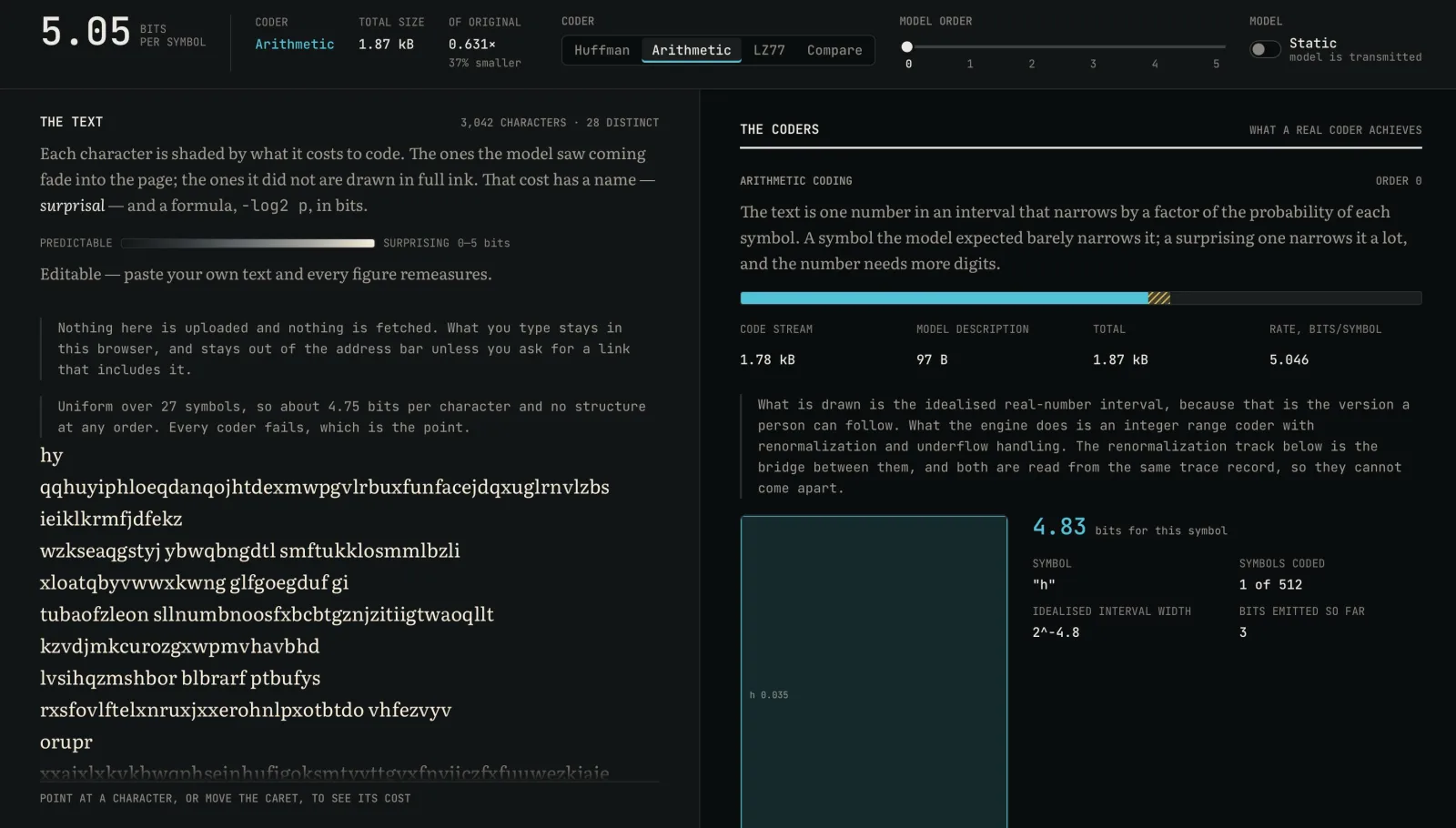
Each compressor records what it did as it runs: the order Huffman merged symbols, where the sliding window found matches, and the interval at every step of arithmetic coding. The views draw that record and never run the algorithm a second time. Your own text is also tinted letter by letter by how many bits it costs, so structure appears as you raise the model's memory.
A four-language test that reports both outcomes
The app compares the same UN human rights declaration in English, Indonesian, German and Finnish. The idea being tested: languages that build words from stacked affixes hide extra repetition that pattern matching can find. Indonesian gained the most. Finnish, the most affix-heavy of the four, did not. The page reports both results and says four texts can't settle the question.
Result
Compression Lab is live, with a separate page that explains the method. The whole engine is my own code: the frequency models, Huffman coding, arithmetic coding and the sliding-window compressor. It uses no compression, statistics or chart library. Recomputing all six levels takes about 14 milliseconds on my machine, inside a 16-millisecond budget, so the charts update as you type. Nothing you paste leaves the browser. I built it over two days, 2 and 3 September 2026.
Under the hoodTechnical detail for engineers
src/engine/imports nothing: no React, no DOM, noMath.random, noDate. It runs unmodified under a plain Node test runner.- Model orders 0 to 5, static and adaptive, with three coders: Huffman (canonical codes), an integer arithmetic range coder, and LZ77 with a hash-chain match finder. All are round-trip tested, including text outside the Basic Multilingual Plane.
serialiseModel/deserialiseModeldefine a real byte format. Model cost in the UI ismodelBytes.length * 8. Adaptive model cost isn't zero: counts are free, but the alphabet and symbol count are transmitted. An order-3 adaptive description is about a fiftieth of the static one.- A floating-point
[0,1)arithmetic coder breaks after about fifteen symbols, so the engine uses integer registers with renormalization and underflow handling. The zooming view is the idealised real-number interval, with a renormalization track and bit ledger underneath. - At 32 bits, floor division drifted 1.54 bits high on a 10,000-symbol order-4 text. I widened the registers to 48 bits and left the tolerance alone.
- A
Map<string, Map<string, number>>model measured 250 ms for a 10,000-character recompute. Counts are now interned integers, built for all six orders in one pass and cached by input. Above 50,000 characters the app recomputes on idle and says so. - The performance test asserts p90 under 16 ms locally (14.4 ms measured) and acts as a 32 ms regression guard on CI, where a shared runner measured 17.0 ms.
- Parallel corpus, LZ77 advantage over H₀ in bits per symbol: Indonesian 0.851, English 0.636, Finnish 0.340.
- Samples are bundled with Vite's
?rawimport; anything inpublic/would be a runtime request. Typed text is kept out of URL state; a separate copy-link action exists. - Six hand-drawn SVG views, one
requestAnimationFrameloop for the interval zoom. A 200,000-character paste still scrolls because the text surface is virtualised. - Out of scope: LZW, BWT, PPM, ANS, DEFLATE, binary input, file upload and leaderboards.
- Runtime dependencies are
reactandreact-dom. Bundle 94 KB gzipped JS plus 7 KB CSS against a 200 KB budget. 64 tests in 12 files, about 9,800 lines, 41 commits.
Screenshots
Hiring, or building something similar?
I'm open to full-time roles and select freelance work.